创建页面正文内容
Wagtail支持许多用于创建内容的基本字段,以及我们独特的流字段功能,它允许您通过按任意顺序组合这些基本字段来构建复杂的布局。
流字段
流字段允许您通过组合多个不同的内容和“块”创建复杂内容的组合。
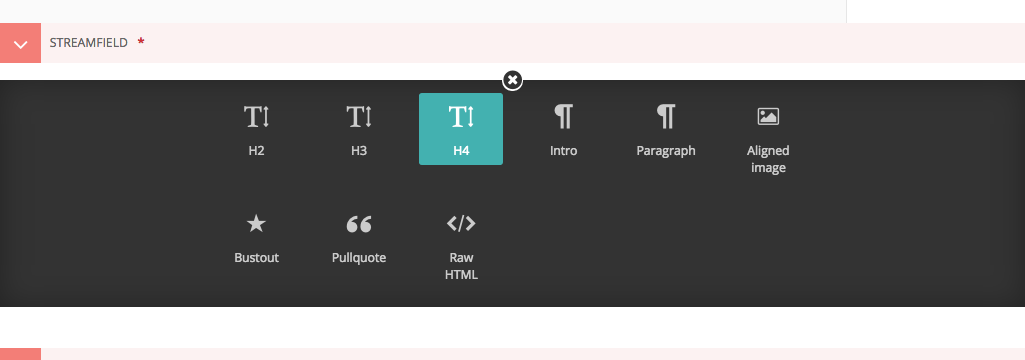
当您第一次编辑页面时,将显示空的流字段区域,您可以选择几个块类型中的一种。网站上的块类型可能与此处的屏幕截图不同,但原理相同。
单击块类型,选项将消失,显示该块的输入字段。
根据您选择的块,字段将以不同的方式显示,甚至可能有多个字段!我们将在这里讨论一些常见的字段类型。
- 基本文本字段
- 富文本字段
基本文本字段
基本文本字段没有格式选项。这些显示将如何由插入它们的页面的样式决定。只需点击字段并输入!
富文本字段
但大多数情况下,您需要格式化选项来创建美观的页面。Wagtail提供“富文本”字段,这些字段具有类似于字处理程序的格式选项。
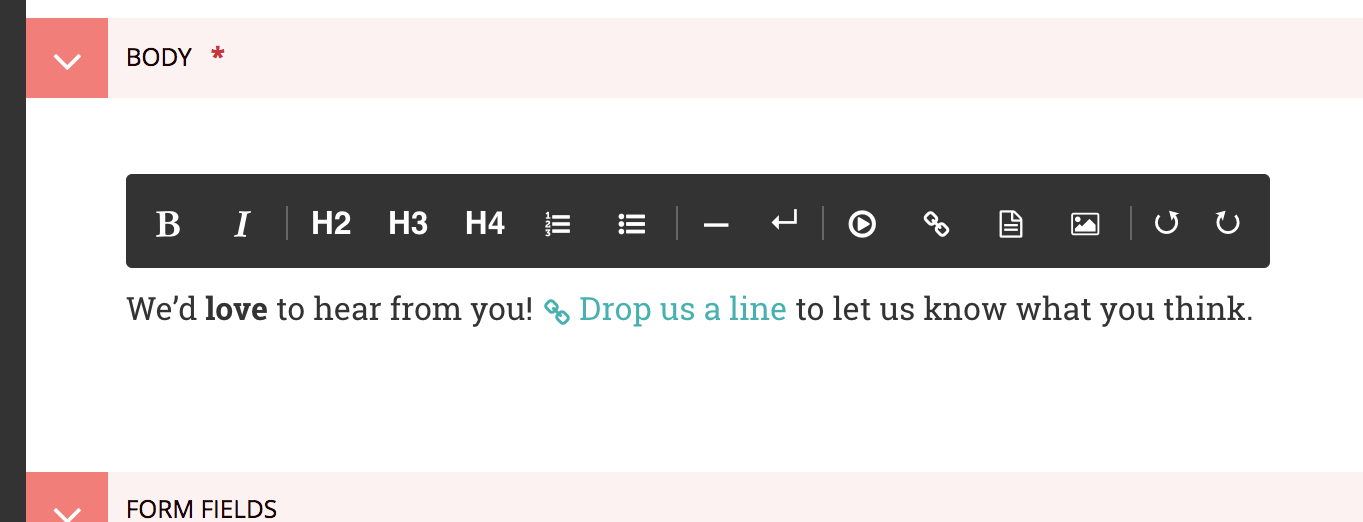
这些字段提供了一组工具,允许您设置文本的格式和样式。这些工具还允许您插入链接、图像、视频剪辑和指向文档的链接。如果要了解有关特定工具的更多信息,请将鼠标悬停在相应的按钮上,以便工具提示出现:
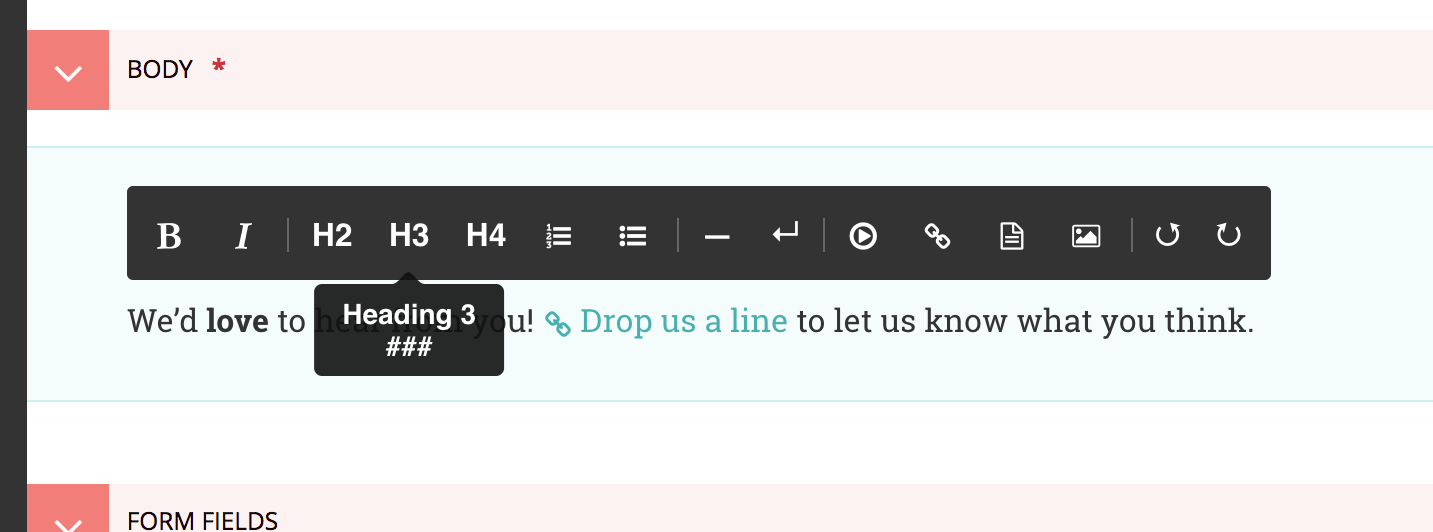
此工具提示显示工具的较长描述,如果有快捷键,则显示其快捷键。如果键盘快捷键不是以ctrl开始,则直接在编辑器中键入的快捷键是` markdown<https://en.wikipedia.org/wiki/markdown>`_:
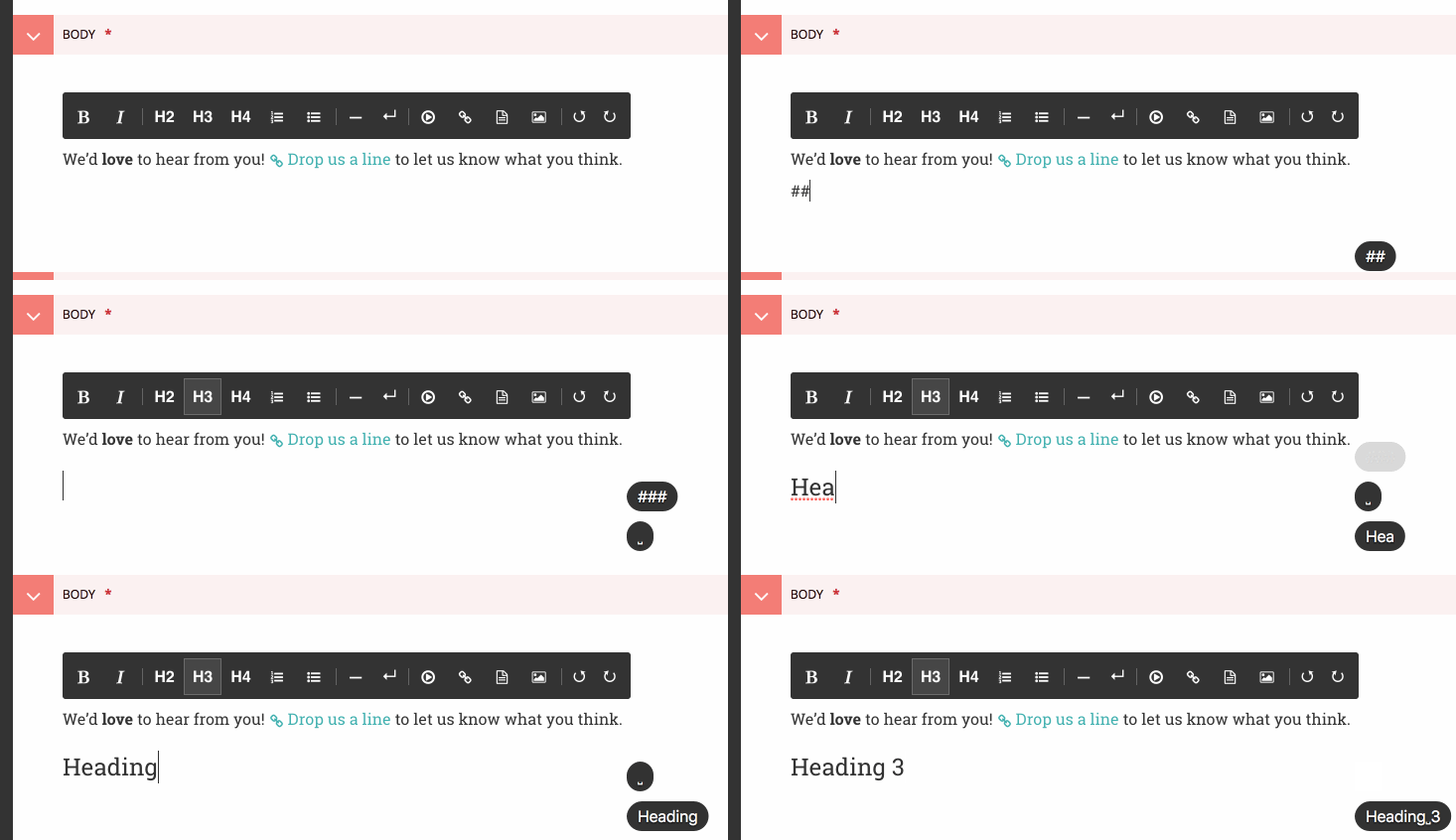
这就是重点!如果您想了解更多关于编辑器的信息,请查看其专用的`用户指南 <https://www.draftail.org/docs/user-guide>`_。它还包含所有可用键盘快捷键的列表,以及一些技巧和陷阱。
在流字段中添加更多块
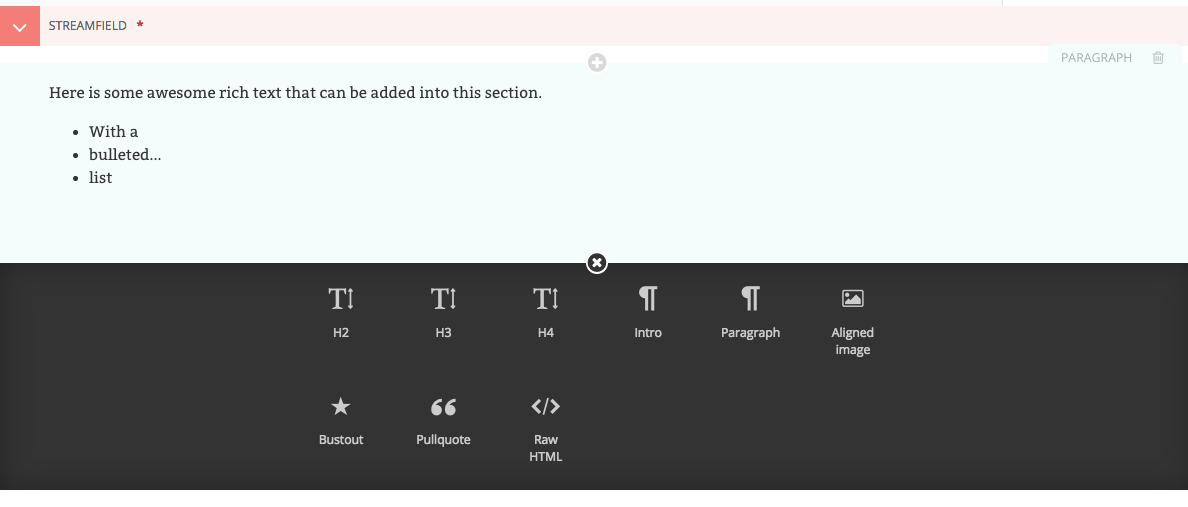
- To add new blocks, click the ‘+’ icons above or below the existing blocks.
- You’ll then be presented once again with the different blocks from which you may choose.
- You can cancel the addition of a new block by clicking the cross at the top of the block selection interface.
Reordering and deleting content in StreamField
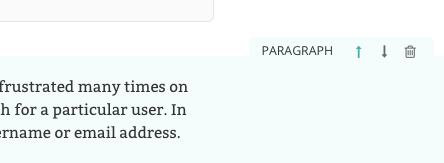
- Click the arrows on the right-hand side of each block to move blocks up and down in the StreamField order of content.
- The blocks will be displayed in the front-end in the order that they are placed in this interface.
- Click the rubbish bin on the far right to delete a field
警告
Once a StreamField field is deleted it cannot be retrieved if the page has not been saved. Save your pages regularly so that if you accidentally delete a field you can reload the page to undo your latest edit.